How to Redeem Make Soaps Codes
Exact UI path, paste tips, and troubleshooting so every active code lands in your inventory.
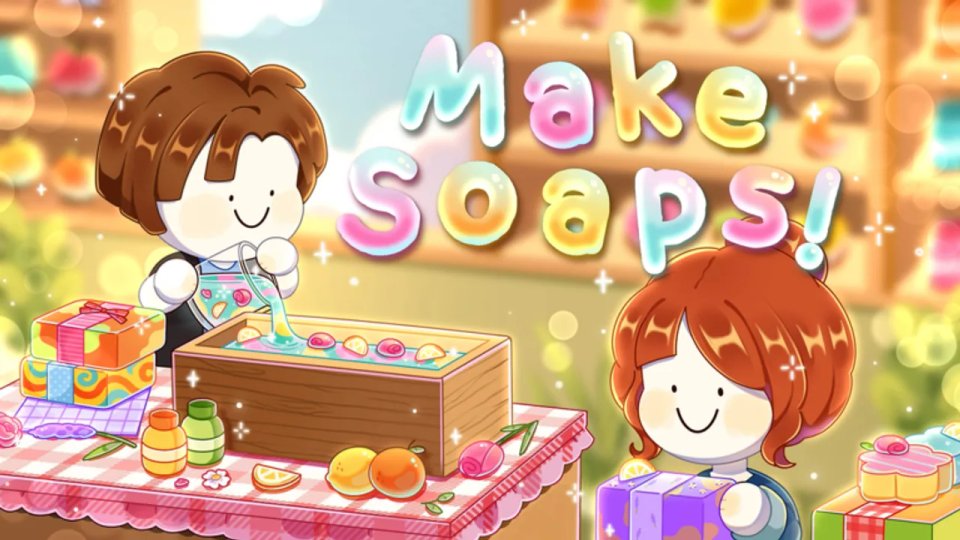
Redeeming Make Soaps codes takes under a minute once you know where the menu lives. The game keeps a dedicated Codes button on the main HUD instead of burying redemption inside Settings, which is great for new soapers — as long as you paste carefully and skip expired strings.
This guide walks through the full flow on PC and mobile, explains what a successful redeem looks like, and covers the failure cases players hit most often. Keep the Codes Hub open in another tab so you can copy active rewards without retyping.
Before you redeem
- Confirm you are in Make Soaps! by CleanCleanClean (place id 138046507944353), not a lookalike experience.
- Wait until the shop tutorial HUD finishes loading so the Codes button is interactable.
- Open the active codes list and copy one code to your clipboard.
- Prefer paste over typing — codes are case-sensitive.
If you just installed Roblox on a new device, log into the same account that owns your soap progress. Codes grant to the account you are playing on, not to a device.
Step-by-step redemption
- Launch Make Soaps from the official Roblox page or your continue list.
- Look at the top-left of the screen for the Codes button.
- Click or tap it to open the redemption panel.
- Focus the Type a code… text field.
- Paste an active code such as
1MILLIONorSPECIALDELIVERY. - Press Redeem.
- Watch for a success toast listing Scent Capsules, Acorns, Coins, or a title.
- Repeat for every remaining active code on the Codes Hub.
On mobile, if paste inserts odd characters, paste into a notes app first, then copy again into the game field. That extra hop preserves capitalization.
What success looks like
A valid code adds rewards immediately. Capsules appear for the scent lab, Coins update your balance, Acorns land in the progression currency, and title codes unlock cosmetics such as Lather Lane Local from SOAPCLUB. You do not need to relaunch the server for most grants.
After redeeming, jump into gameplay:
- Open capsules using the Scent Capsules guide.
- Craft a stronger batch with How to Make Soap.
- Spend Coins via Shop and Workers.
Troubleshooting failed codes
Invalid or expired. Strings like 500KVISITS, NEWPETS, CABINET, and THANK YOU are retired. Cross-check the expired list on the Codes Hub.
Typo or spacing. Hidden spaces before or after the code break redemption. Clear the field and paste again.
Already redeemed. Each code is typically one-time per account. A second attempt correctly fails.
Button missing. Finish the first loading prompts, exit any full-screen tutorial modal, or rejoin the server. The Codes control sits top-left once the cozy shop HUD is ready.
Wrong game. Search results sometimes surface unrelated soap or tycoon experiences. Verify the CleanCleanClean creator badge and the Make Soaps! title art.
Laggy mobile input. If the Redeem button ignores taps, close the panel, reopen it, and paste once more after the text field focuses.
Smart redeem order for new players
- 1MILLION — largest capsule and Coin bundle.
- SPECIALDELIVERY — more Acorns plus capsules.
- SOAPCLUB — capsules plus title.
- HARVEST and MOREACORNS — Acorn top-ups.
That order front-loads scent discovery so your first sold bars earn more. Pair it with Getting Started so you know where to mix, cut, wrap, and stock shelves afterward.
Staying ahead of new drops
Milestone codes appear when visits or group member counts hit round numbers. Seasonal strings arrive with festival UI. Follow CleanCleanClean’s group shoutouts, skim the Updates Hub, and peek at the Players community tips after major patches.
Never trade account logins for “code generators.” Real Make Soaps codes redeem only inside the in-game Codes panel.
Related pages
- Codes Hub — live and expired lists
- Getting Started — what to do after rewards land
- Scent Capsules guide — spending priority
- Official links — developer destinations
Frequently Asked Questions
Quick answers for Make Soaps players.
Where is the Codes button in Make Soaps?
Top-left of the main HUD after the game finishes loading.
Can I redeem the same code twice?
No. Active codes are generally one redeem per Roblox account.
Do I need a certain level first?
No minimum level is required. You can redeem as soon as the Codes menu opens.
Where do I find codes to paste?
Use the verified list on the Codes Hub and avoid unverified off-site generators.